Save in seconds
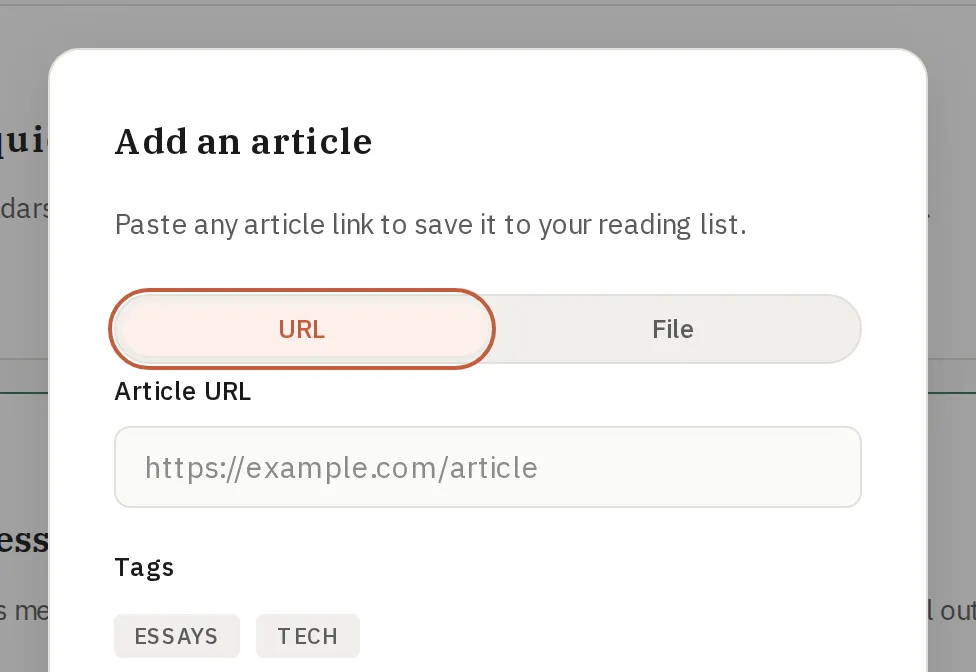
Paste a link, add a tag if you want, and move on.
SoonRead
Capture links in seconds, keep your reading queue organized, and come back to a cleaner reading experience.
SoonRead
SoonRead is built around three things you do all the time.
Paste a link, add a tag if you want, and move on.
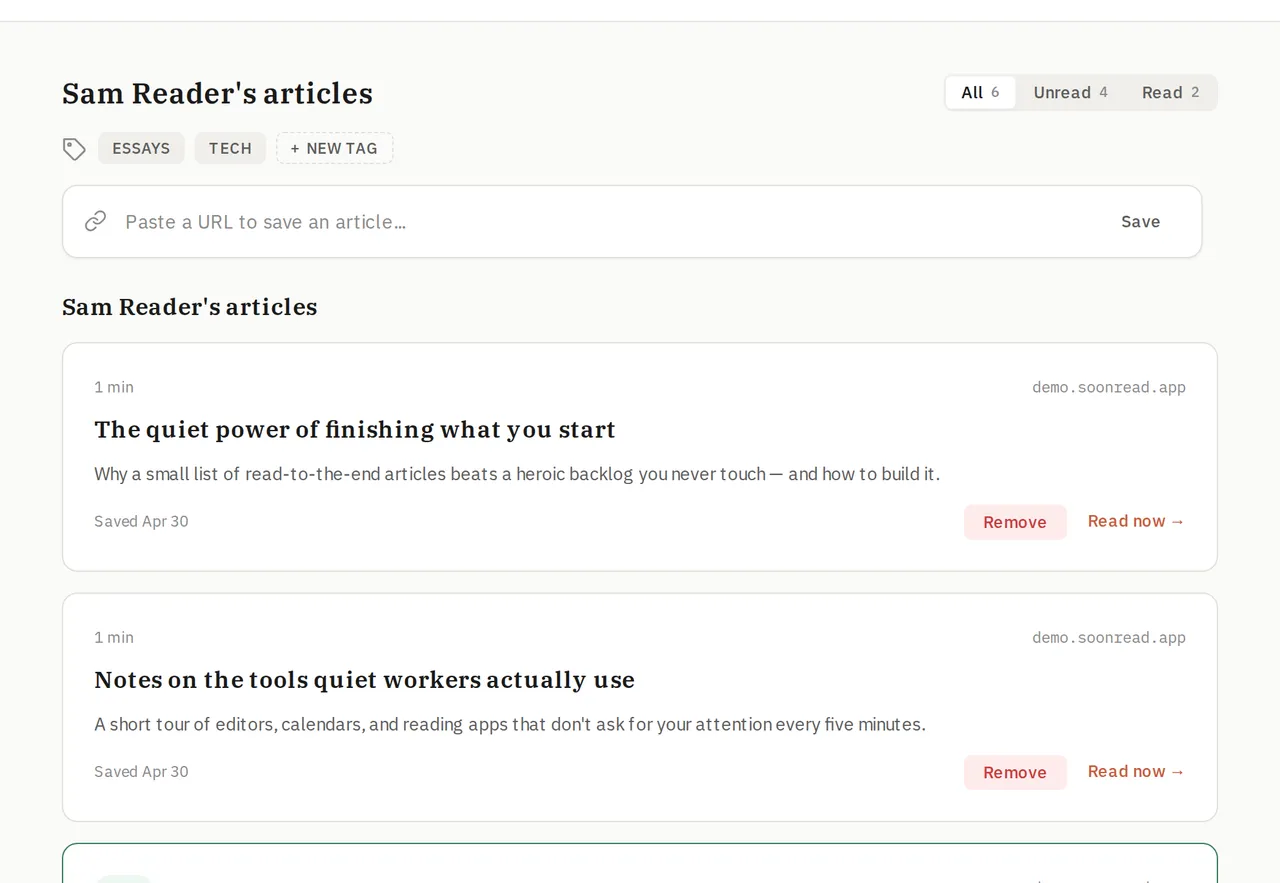
Use read status and tags to find what you want to read next.
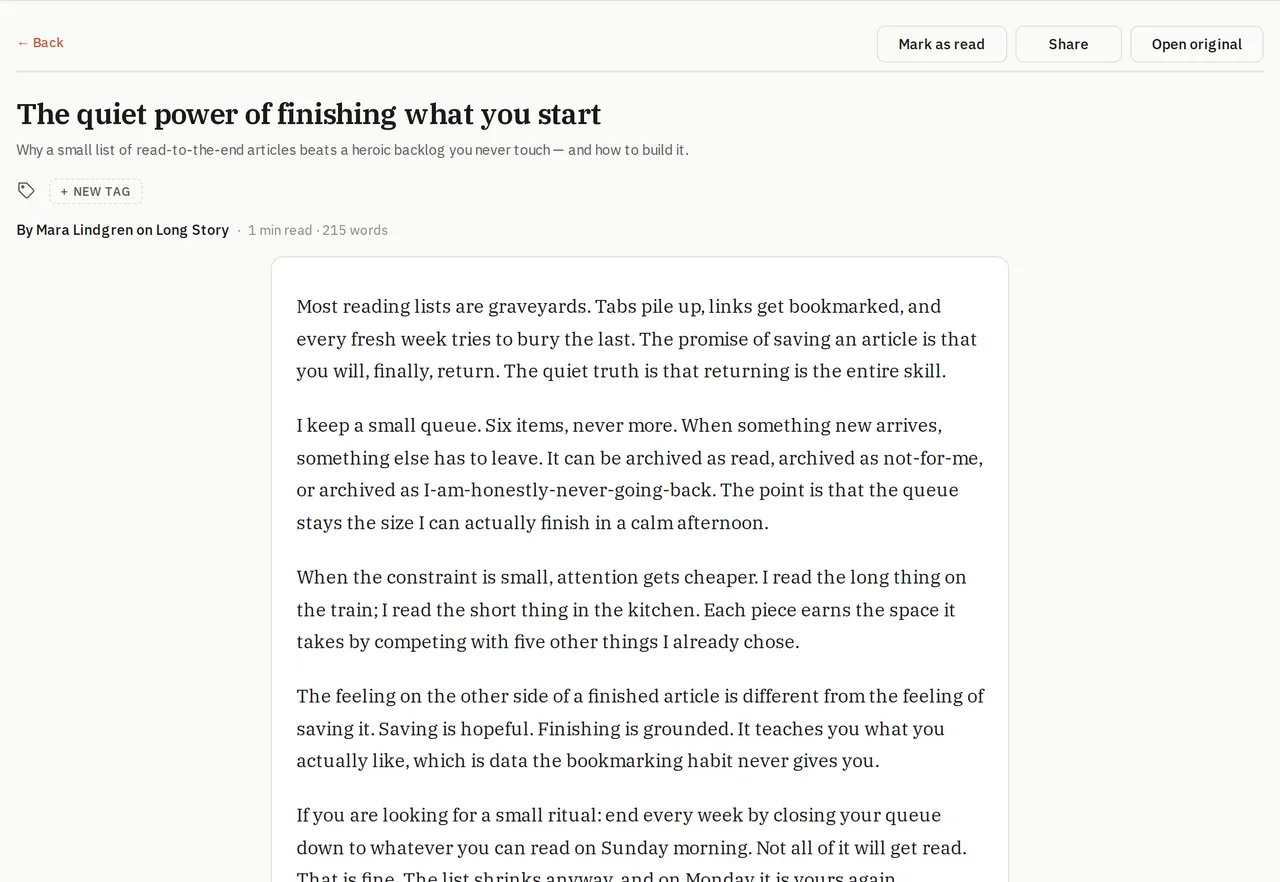
Open a clean reader view that keeps the focus on the article.
Reader spotlight
SoonRead turns a pile of saved links into a calmer reading flow. Open an article in a clean view, keep your place, and move through your queue with less friction.
Focus on the article instead of the original page chrome.
Pick back up where you left off without digging through tabs.
Keep title, source, and tags visible without overwhelming the page.
Everything you need to know about SoonRead.
SoonRead is a read-it-later app. You save links to articles you want to read, and come back to them in a clean, focused reading view — on any device, without distractions.
You can save articles in two ways: paste any URL directly into the add-article box in the app, or use the browser extension to save a page with one click while you browse.
The extension is optional. You can use SoonRead fully from the web app by pasting links. The extension just makes saving faster — one click while you're on any page.
The SoonRead extension is available for Chrome, Firefox, and Safari. It works with any Chromium-based browser (Edge, Brave, Arc, etc.) via the Chrome extension.
When you open an article, SoonRead extracts the main content and presents it in a clean layout with your chosen font size and theme. Your scroll position is saved so you can resume reading later.
If an article is behind a paywall or requires a login to read, SoonRead can't extract the content. We'll show the original article URL so you can open it directly in your browser with your existing subscription or account.
Yes. You can add tags when saving an article or from the reader view. Use them to group articles by topic, project, or anything that makes sense for you — then filter your list by tag.
SoonRead has a free plan that includes unlimited article saving and reading. A premium plan with additional features (offline reading, advanced sync, and more) is coming soon.
We publish guides, tips, and product news on the SoonRead blog.
Go to Account → Danger zone and click Log out. To delete your account and all data, contact support. Full self-serve account deletion is on our roadmap.
Save your first article and see the workflow for yourself.